
How BuildFind works
The five moments that matter on a real construction project, from uploading the spec to the subcontractor closing the defect. Below that, the full pipeline behind every answer.
Five steps, start to finish.
- 01
Ingest
Drop your project PDFs, CAD exports, and SharePoint folders. Everything enters an EU-hosted pipeline.
- 02
Ask
Ask in plain Estonian, Russian, or English. Get a cited answer with the exact page reference.
- 03
Cite
Tap any citation to open the PDF at the exact page, with the referenced passage highlighted.
- 04
Capture
Log defects on site with one tap. Location, photos, and subcontractor auto-filled.
- 05
Handoff
Auto-format the report. Share it with the right subcontractor; each sees only their own items.
The pipeline behind every answer.
Here's exactly what happens after you upload a document. Transparency is how we earn the trust that a black-box AI tool never can.
Ingest
Parse & structure
Enrich
Index & store
Retrieve with citations
Compliance-aware generation
Surface in product
Upload from SharePoint, OneDrive, or direct drop. Supported: PDFs, DOCX, XLSX, and regulatory feeds. Everything enters an EU-hosted pipeline.
Different document types get different treatment. Specs get section-aware chunking and regulations get reference-aware parsing, not one-size-fits-all.
Named-entity recognition for construction terminology, EN/ISO standard references, Estonian codes, defect categories, and material types. This is the construction knowledge layer.
Vector index plus structured metadata, stored in EU data centres. GDPR-compliant. Your data does not leave the EU at any stage.
When you ask a question, retrieval pulls from relevant documents with full source tracking. Every answer links back to a specific page in a specific file.
Answers are generated with awareness of which standards and regulations apply, flagging potential issues instead of answering neutrally.
Chat interface, defect report generation, floor plan viewer. The same pipeline powers all features, so extending it is fast.
Worth a 30-minute call?
Bring a question from one of your projects. One of the founders shows you the answer and its source, live.
EU-hosted · Founders on every call
-
 Jegor KitskerkinCo-founder, technology7 years building AI and machine learning systems
 -
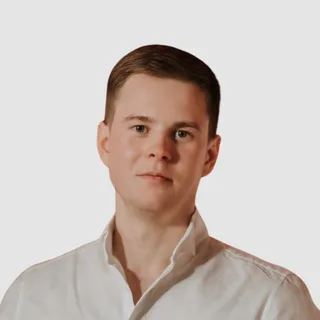 Nikita TederCo-founder, business developmentSite engineer and cost estimator at Kaamos Ehitus